A free, light version of Adobe Reader DC
Adobe Acrobat Reader is a free productivity tool used for viewing, printing and annotating PDF files. Developed by Adobe, it's a stripped version of the popular Adobe Reader DC (Document Cloud), bringing you all the essential tools to interact with PDFs but without the unnecessary bloat and resource-demanding features that the latter is known for.
Considered as the leading PDF reader in the market, Adobe Acrobat Reader is the go-to choice for everyone looking for a powerful document management application that doesn't drain your device's resources and is easy to access and use every day.
What is it used for?
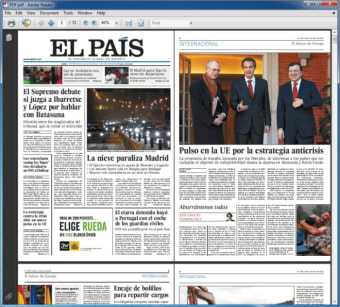
Adobe Acrobat Reader is a PDF reader that includes all essential tools from Adobe Reader DC but without affecting your computer’s performance. With it, you’ll be able to open and interact with PDF files by adding comments, highlighting text or filling, and signing them with ease. With a clean and easy to use interface, this platform is the perfect choice for anyone trying to find an alternative to nowadays resource-demanding PDF readers.
In this platform, you can open and reproduce any PDF file without wasting your device's resources, making it a wide-known choice for individuals that don't have a high-end device. Likewise, here, you can do basic PDF editing tasks like highlighting text and annotating pages. You can also fill out interactive PDFs here while keeping the format of its original file. Aside from these, you can even put your digital signature in your documents.
Offers accessibility functions and powerful security measures
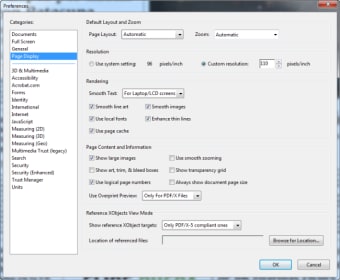
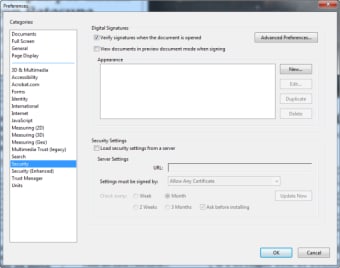
While this tool lacks some features that the full Adobe Reader version offers, its accessibility functions are still present. Readers with impaired vision, slight blindness, or limited mobility can still use the customization options to help them read with ease. In the Preferences menu, the Accessibility section will present you with an easy-to-use wizard. Here, you can enable a larger text display, higher contrasts, and other adjustments to project a more dynamic background on your screen.
Moreover, it includes a wide array of security features aimed at protecting your computer from any malicious attack disguised as a PDF file. The program will not only detect if one of your documents is infected by a virus or malware, but will also let you isolate the threat, keeping all your sensitive data protected. This safety net against hackers makes it a great choice for anyone dealing with PDF documents daily, ensuring their personal files and data will always remain safe.
Compatible with modern workflows
This platform also supports seamless integration with cloud storage services and mobile workflows, letting users access PDFs from platforms like OneDrive, Dropbox, and Google Drive and work on them across devices. This makes Adobe’s PDF ecosystem versatile for users who need to manage documents beyond local offline use, although these cloud-linked features aren’t typically part of lightweight Reader Lite builds.
Furthermore, accessibility remains a focus in Adobe’s official PDF viewers, with support for features such as high-contrast views, text-to-speech, and screen reader compatibility. These tools help users with vision impairments or reading difficulties interact with documents more comfortably, complementing the basic accessibility options already found in lightweight PDF viewers like Reader Lite.
The go-to choice to open PDF files with ease
Adobe Acrobat Reader is an excellent free app for users who need to open and read PDF files but don’t want to download a resource-intensive program to perform that task. This lightweight alternative to the more bloated DC version includes all Reader’s main features, without affecting your computer’s performance. While the program does not come with a full suite of features, it definitely retains its most helpful ones. If you're looking for a free software to read, annotate, highlight, or sign your PDF documents, you won’t be disappointed.